
MTP/MPO Breakout Cables for Parallel-to-Duplex Connections
Multifiber-to-duplex or simplex fanout assemblies used to map one MTP/MPO interface into individual equipment or patching channels.
An MTP/MPO breakout cable separates fibers from one multifiber connector into individual LC, SC or other specified connector legs. Channel mapping, breakout length and labels must be defined before production.
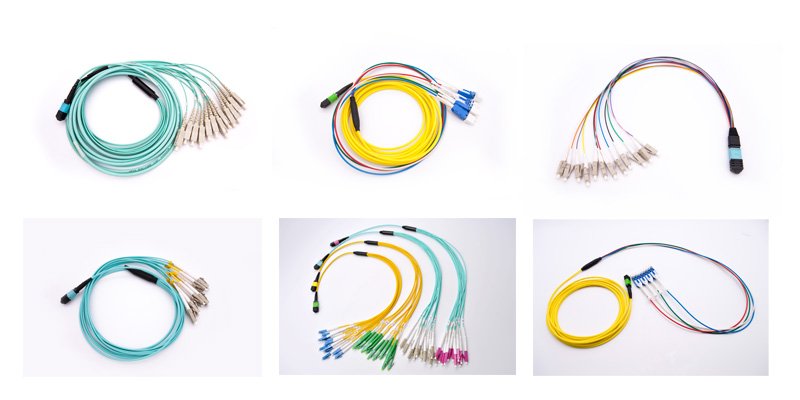
Where this product fits in the MTP/MPO system.
Evaluate the product as part of the complete link rather than as an isolated component.
Transceiver breakout
Map a compatible parallel-optics interface into individual duplex or simplex channels.
Panel-to-equipment links
Connect high-density backbone or panel interfaces to equipment-side ports.
Controlled channel identification
Use leg lengths and labels that match the port map and rack layout.
Define these fields before requesting a quote.
Final availability, compatibility and test requirements are confirmed against the selected construction.
| Configuration field | Available direction | Why it matters |
|---|---|---|
| MTP/MPO end | Platform, gender, fiber count and polish | Must match the source interface. |
| Breakout connectors | LC, SC or project-specified ends | Must match equipment or adapter ports. |
| Channel mapping | Project-defined mapping and polarity | Prevents incorrect transmit/receive routing. |
| Breakout length | Project-defined transition length | Controls where the assembly separates into legs. |
| Leg lengths | Equal, staggered or scheduled lengths | Supports clean routing to the destination ports. |
| Labels | Master cable and individual leg labels | Connects each leg to the cable schedule. |
| Test package | Confirm optical and polarity records per RFQ | Approval evidence must match the final assembly. |
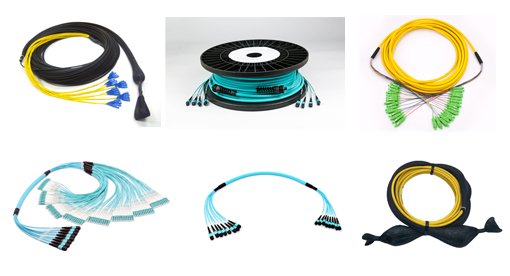
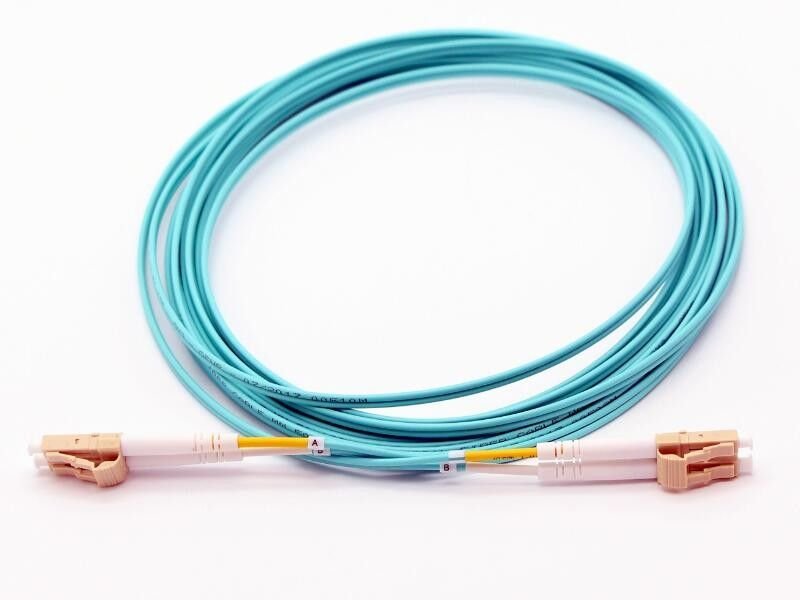
Review representative product constructions.
Images show product directions from the supplied JHT material set. Confirm the exact construction and appearance for the quoted item.
Move from application requirement to an approved configuration.
Share the system context first, then confirm interfaces, physical construction and approval evidence.
Share the application
System role, equipment interfaces, quantity and deployment environment.
Define configuration
Fiber, connectors, mapping, mechanical format, length and labels.
Review compatibility
Check related trunks, modules, panels, patching and equipment interfaces.
Agree approval evidence
Confirm sample, inspection and applicable test-document requirements.
Questions to resolve before ordering.
Answers are intentionally scoped to product selection; final specifications are confirmed during RFQ review.
Planning an 800G breakout channel? Review the MPO-16 to LC breakout engineering guide for lane mapping, polarity and loss-budget inputs.
What is the difference between a breakout cable and a trunk cable?
A trunk usually has multifiber connectors at both ends. A breakout cable maps one multifiber end into individual connector legs.
How should breakout legs be labeled?
Labels should follow the project port map so each individual leg can be traced to its source channel and destination.
Can the leg lengths be staggered?
Project-defined equal or staggered leg lengths can be evaluated during quotation.
What information reduces breakout-cable RFQ errors?
Provide the transceiver or source interface, fiber type, MTP/MPO gender, channel map, breakout connector, overall length, breakout length, leg lengths and labels.